Running a Soft Close in Numeric Cash Management
Last updated: June 17, 2026
A soft close is the parallel-run phase between building your rules and going live. During soft close, you run Numeric alongside your existing reconciliation process, validate that Numeric produces the right results, and surface anything that needs to be fixed before cutover.
This guide explains how the soft close works, what to look for, and how to know when you're ready for live.
Why Run a Soft Close
A soft close protects your close in 2 ways:
Validation: You see how Numeric performs against real data before you depend on it.
Safety net: Your existing process catches anything Numeric misses, so you're never exposed to a broken close.
Soft close is also when your team builds confidence in the platform. Reviewers practice the daily workflow, the controller sees the match rate, and the implementation team identifies any rule gaps before they become blockers.
When to Start the Soft Close
Start the soft close once your rules engine has been built and previewed against historical data. You don't need every rule to be perfect — the soft close is where you'll refine.
Prerequisites:
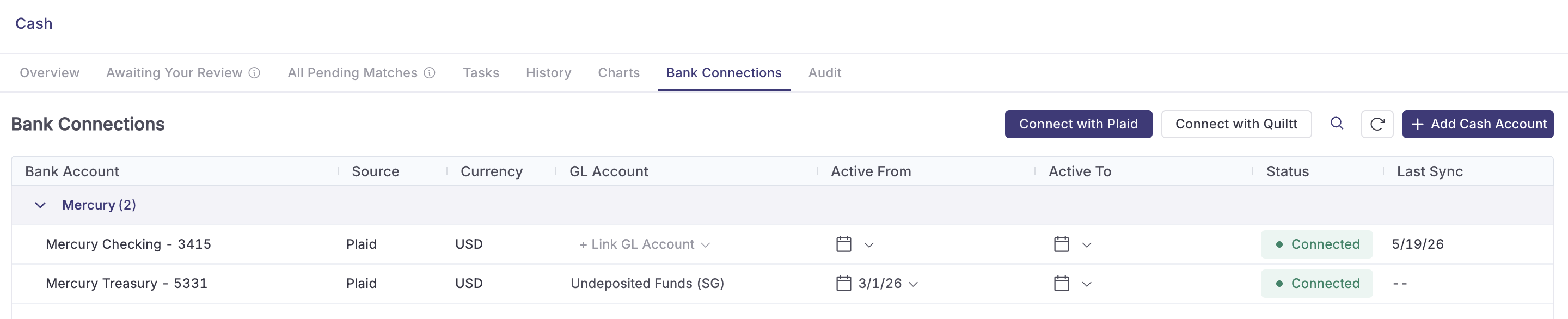
Bank connections live, including manual uploads if your SFTP connection is still being provisioned.
A first pass of match and journal entry rules built and previewed.
Reviewers identified and assigned.
How Long the Soft Close Runs
Plan for at least one full close cycle. Most customers run for one to two months before cutting over. The right length depends on:
How clean your match rate looks after the first close cycle.
Whether your bank connections are still stabilizing.
Your team's confidence in the workflow.
Your Solutions Manager will help you decide when you're ready.
What to Do During the Soft Close
Run Both Processes in Parallel
Keep your existing reconciliation process running. Use Numeric in parallel — meaning your team works the daily workflow in Numeric (matches, approvals, exceptions) while your legacy process continues as the source of truth.
For the day-to-day mechanics, refer to Day-to-Day Reviewer Workflow in Numeric Cash Management.
Validate Against the Legacy Process
At the end of each close cycle during soft close, compare:
Match rate: How many transactions did Numeric auto-match versus require manual handling?
Journal entries posted: Are Numeric's drafted entries hitting the right accounts, dimensions, and amounts?
Exceptions: What did Numeric miss? Why?
Cash balances: Do Numeric's reconciled balances tie out to your legacy reconciliation?
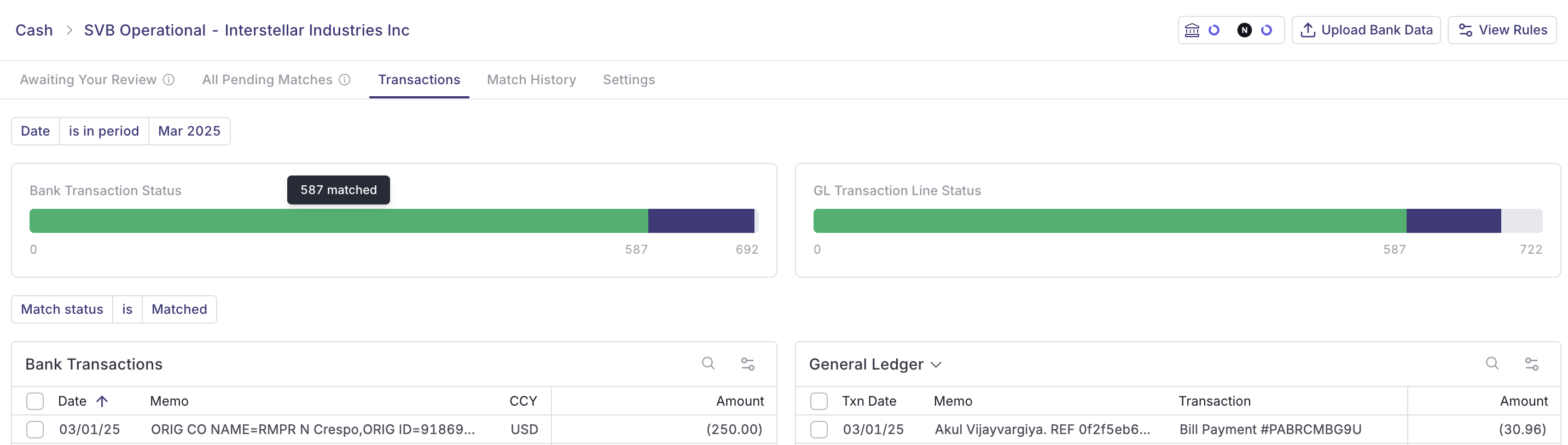
Differences are normal early on. The goal is to drive them to zero by tracking each one down to a root cause — a missing rule, a data quality issue, or a process gap — and resolving it.
Refine Rules
Most rule refinement happens during soft close. Common patterns:
Widen a too-narrow rule that's leaving valid matches as exceptions
Tighten a too-broad rule that's producing false matches
Add rules for transaction types you didn't catch in the initial build
Adjust journal entry templates as you learn what dimensions and memos your team needs
For details on rule edits, refer to Building Match Rules with Numeric Cash Management, Building Journal Entry Rules with Numeric Cash Management, and Using the Rule Assistant in Numeric Cash Management.
Train Your Team
Soft close is the time for the daily reviewers, the close owner, and anyone in the approval chain to learn the platform. By cutover, every person who touches close should be comfortable in Awaiting Your Review, the Transaction Explorer, and Match History.
Readiness Signals for Live Cutover
You're ready to cut over when:
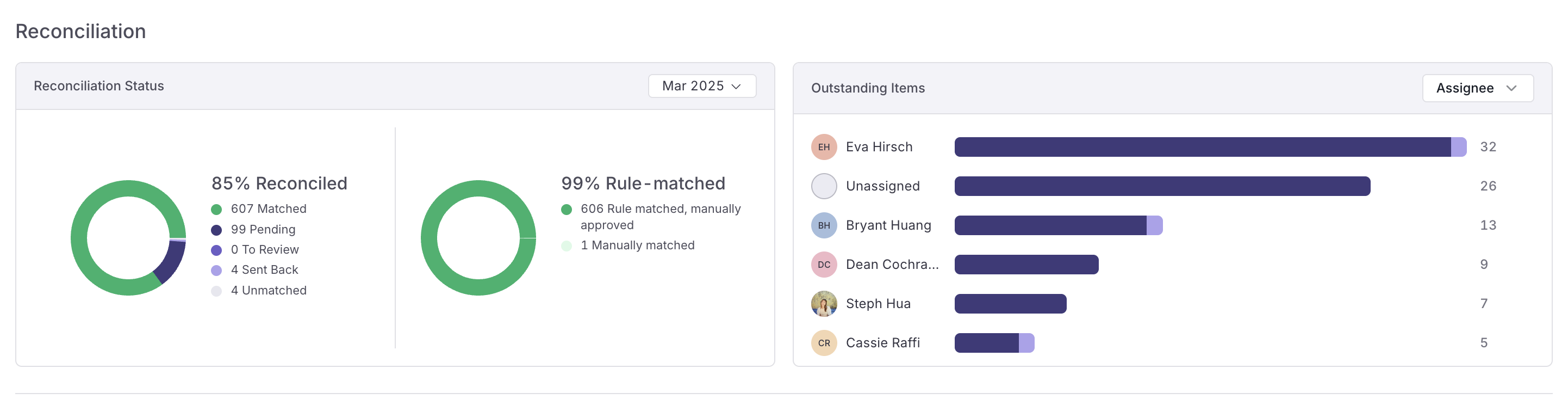
The match rate has stabilized at a level your team is comfortable with.
Exceptions are predictable and well-understood.
Your team can work the daily queue without escalation.
Journal entries are posting cleanly to NetSuite with the right accounts and dimensions.
The numbers tie out between Numeric and your legacy process.
Your Solutions Manager will help you walk through these signals and confirm cutover timing.
When You're Ready to Cut Over
Once you're confident, retire the legacy process and treat Numeric as the source of truth. For most teams, this means:
Stopping the parallel process at the start of a new close cycle.
Communicating the cutover to anyone downstream (controller, AP team, audit).
Treating any new issues as exceptions to work, not signals to roll back.
Permissions
Building and refining rules during soft close: Administrator, Manager, and Staff.
Approving rule changes: Administrator and Manager.
Cutover decisions: Administrator, in coordination with your Solutions Manager.
Need help? Contact your Solutions specialist or reach out to support@numeric.io.