Connecting NetSuite SuiteAnalytics Connector (SAC) to Numeric
Last updated: September 25, 2026
Overview
Numeric offers two integration options for NetSuite workspaces — our Traditional Sync and a more capable Warehouse Sync. This document highlights the process for connecting our more feature-rich Warehouse Sync.
Prerequisites
Before setting up SuiteAnalytics Connect, you must:
Complete the basic NetSuite integration connection to your Numeric workspace. Follow the steps in our Connecting NetSuite guide.
Review the SuiteAnalytics Connect article for additional context.
Setup Guide
Log in to your NetSuite account.
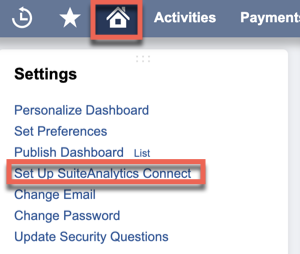
In the homepage of your NetSuite account, find the Settings module and select Set Up SuiteAnalytics Connect.
Note your service host, port, and account ID
Click Your Configuration. Your service host, port, and account ID information appear.
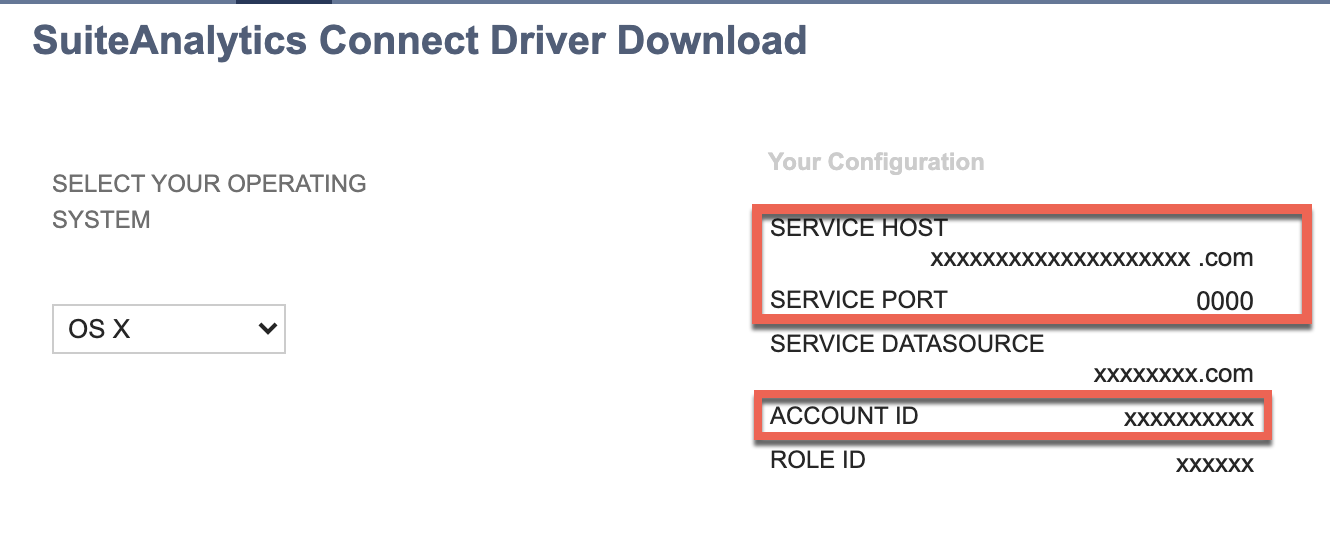
Make a note of your host, port and account ID
Create the Numeric Integrator Role
In NetSuite, create a new role called Numeric Integrator. This dedicated role is required for Suite Analytics Connect.
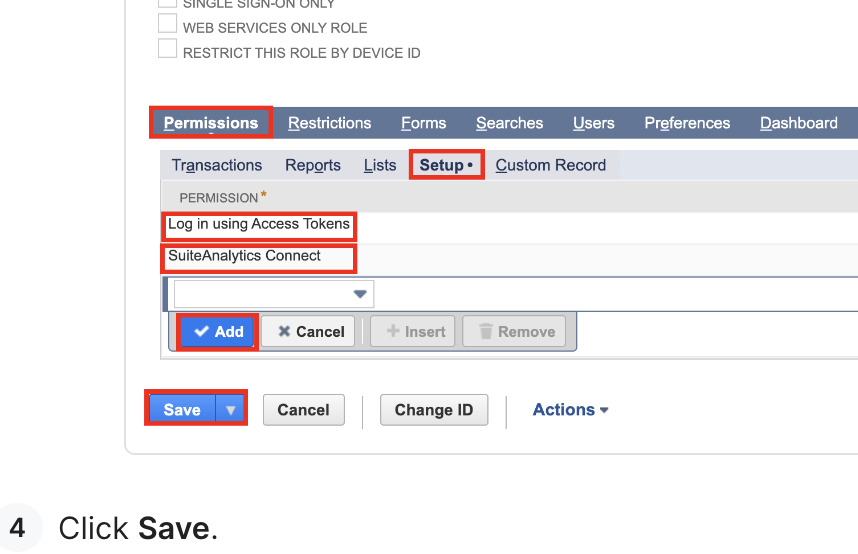
Add the following permissions to the Numeric Integrator role:
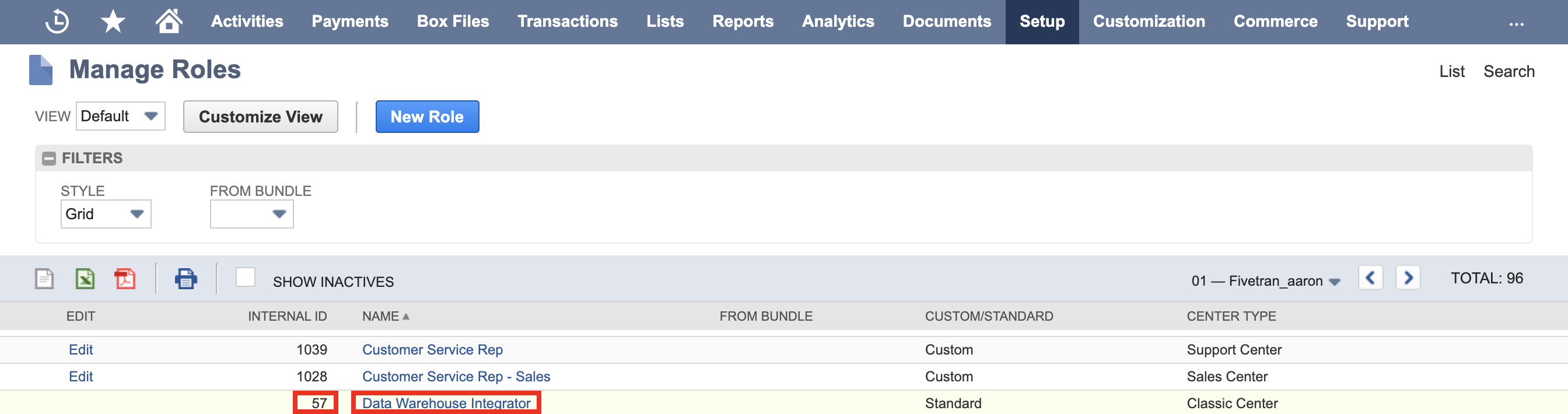
Note the Role ID (Internal ID) of the Numeric Integrator role from the Manage Roles page in NetSuite.
Additional Permissions
Lists
Please include any of the following list permissions which are applicable:
contact
customer
employee
partner
project
vendor
Other NetSuite types we need:
items, locations, classes
Fiscal Calendars
Send Details to Numeric
Send the service host, port, and account ID, and Role ID (internal ID) to support@numeric.io or an existing email thread with your implementation team.
Complete the Migration
After sending your Suite Analytics Connect details to Numeric support:
Numeric support will enable Suite Analytics Connect and initiate the migration process for the initial sync.
Wait for confirmation from support that the migration is complete.
Verify your data by tying out to check for any discrepancies.