How Period Closing Affects Data Syncing and Workflow Notifications
Last updated: July 24, 2026
Understanding how period closing works in relation to data syncing from NetSuite and workflow notifications is important for managing your month-end close process effectively.
Data Syncing from NetSuite
Closing a period in Numeric does not prevent data from syncing from NetSuite. All transactions and adjustments made in NetSuite will continue to sync to Numeric regardless of whether the corresponding period is open or closed.
This means:
You can make adjustments to prior periods in NetSuite without reopening those periods in Numeric
Account balances and amounts will update automatically in Numeric when changes are made in NetSuite
Multiple periods can be open simultaneously if needed
Workflow Notifications and Alerts
When adjustments are made to closed periods in NetSuite, Numeric's workflow notifications will still trigger normally:
Reconciliation alerts: If a submitted reconciliation becomes out of balance due to subsequent NetSuite activity, you'll receive notifications in your Inbox
Flux analysis: Account totals will update on flux views, though explanations won't automatically flag for updates
Threshold notifications: Material changes that exceed your configured thresholds will trigger appropriate alerts
Resolving Alerts in Closed Periods
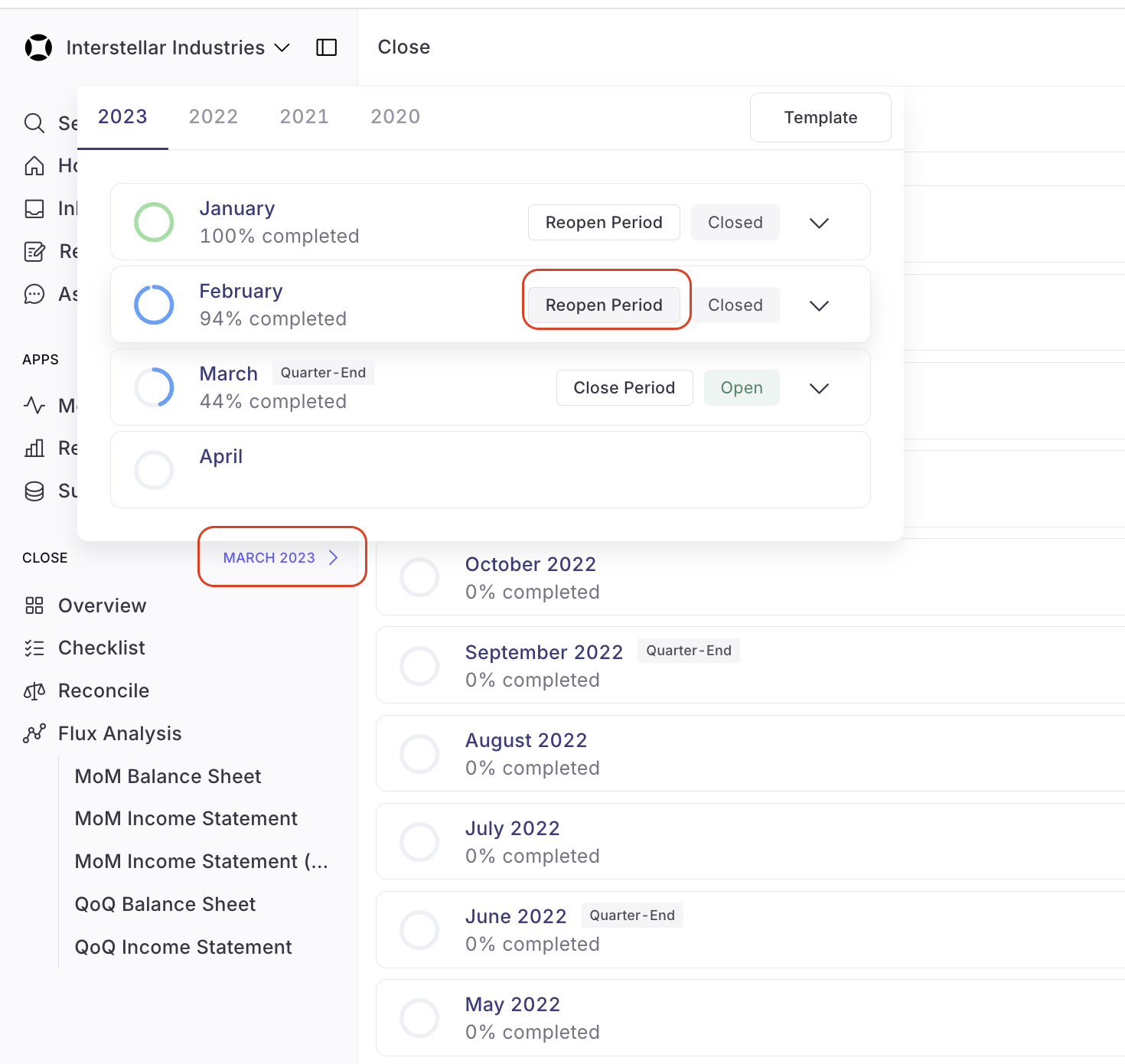
When alerts are triggered for closed periods, you can view them in Home > Close > Closed. To resolve these alerts:
Only Admins can reopen closed periods
Reopen the affected period by clicking on the month in the side panel
Update reconciliation balances as needed
Complete any outstanding tasks or reconciliations for affected accounts
What Period Closing Actually Prevents
Closing a period only prevents users from making changes within Numeric for that period. It does not affect:
Data syncing from external systems like NetSuite
Automatic balance updates
Workflow notifications and alerts
Important: Changes made only in the most recent open period will roll forward to update templates and future periods. Changes made to older periods (even when reopened) will not automatically carry forward.